


How to deal with the increase in robotic clicks in email marketing?
Karel Koupil | 9. 1. 2026

In email marketing, accurate metrics are key to evaluating your campaigns and making further decisions, e.g. for automation purposes. However, the exponential growth of bots in recent years, especially those triggered by email privacy protection tools (Mail Privacy Protection), can significantly skew open and click-through metrics.
What is a click from a bot?
A bot click is an automated interaction with an email, usually generated by software robots instead of a real user. Bots can be triggered by security programmes, email client preloading, or malicious activity. Their interactions often artificially inflate metrics such as open and click-through rates, leading to a false impression among marketers about user interest, e.g. in the products offered. An extreme case would be a situation where a bot clicks a button telling the user that they want to be contacted by the client’s call centre regarding an offer mentioned in an email. As we can see, unresolved bot clicks are highly undesirable and can damage customer relationships.
What can you do yourself?
In order for user engagement rates to reflect actual user behaviour, it is essential to take proactive measures to reduce bot activity. Below are some effective strategies to help protect your email campaigns from the influence of bots.
- Implementation of CAPTCHA form during registration to the database
One of the simplest ways to reduce bot activity is to implement a CAPTCHA form during the subscription process. CAPTCHA is designed to distinguish between real users and bots, ensuring that only real people sign up to your database. This method helps to maintain a clean subscriber base.
- Use advanced email verification methods
Email authentication tools such as DKIM, SPF, and DMARC verify the authenticity of your emails and protect against spoofing and phishing. These security-focused tools also improve deliverability by ensuring that recipient servers rate your emails as legitimate. Advanced email authentication not only improves deliverability and reduces spam complaints, but also indirectly minimises the risk of bot activity affecting your email metrics.
- Activate the intermediate page after clicking on the logout link.
Robots often click on all links in an email. Even the unsubscribe link? Yes, even that one. In addition to the purely technological security provided by our platform, which I will describe later in this article, it is also advisable to enable the so-called unsubscribe intermediate step in the Settings – Unsubscribe menu. Simply put, if a user or robot clicks on the unsubscribe link in an email, they will be taken to a web page where they must confirm their choice by clicking. Since the purpose of the security robot is not to unsubscribe recipients in your database but to check the security of links, it is highly unlikely that it will confirm the choice on this page.
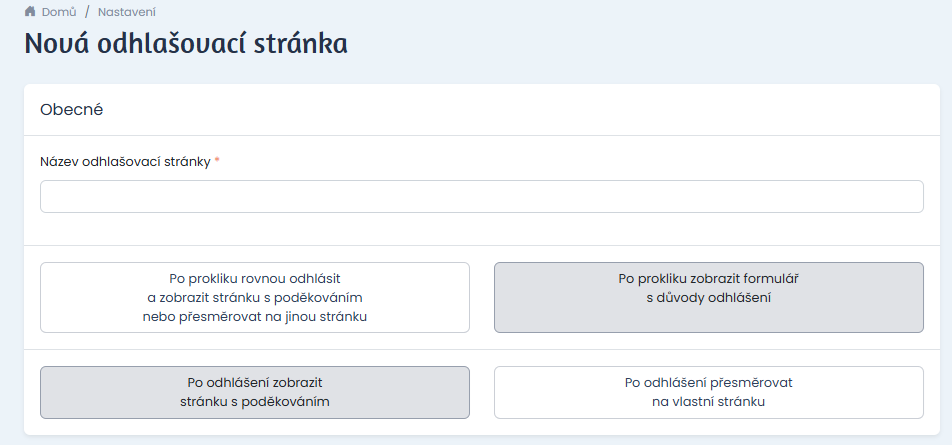
Image: How to set an intermediate step in user logout
How Email Machine identifies bots
In the campaign details, where we identified robotic clicks, you will see the “Robotic clicks” button in the Clicks section. Email Machine automatically removes all robotic clicks from your statistics.
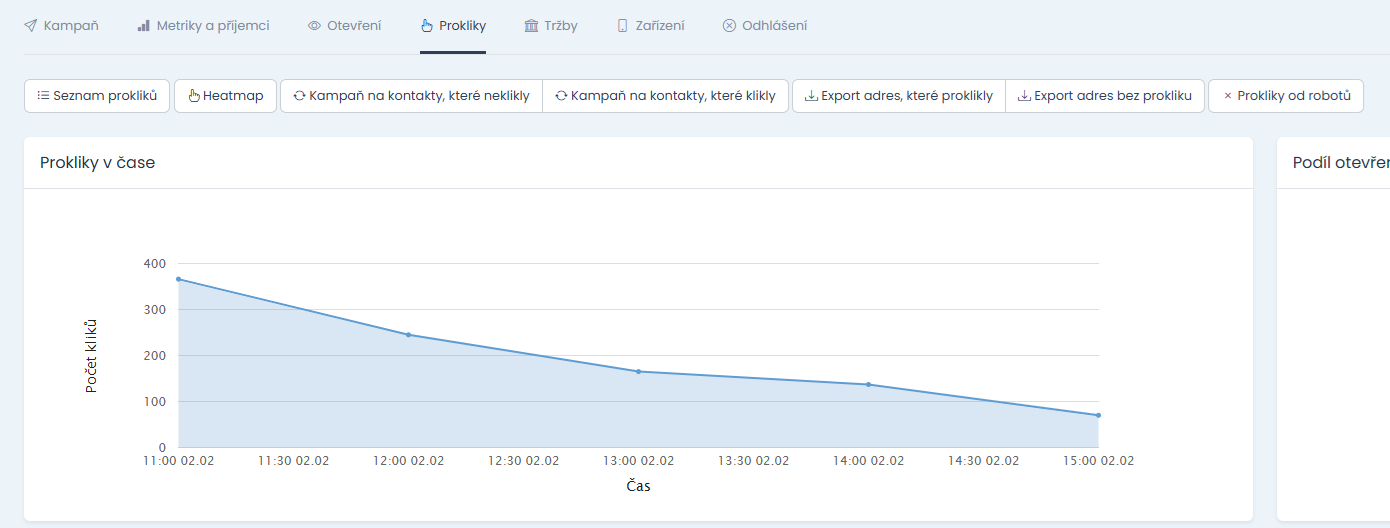
- We detect clicks before the email is opened
In order for a user to click on a link in an email, they must first open it. Therefore, we can flag an email as suspicious if it was clicked on without being opened. However, this technique only works for email systems that automatically load images before the message is opened.
- We detect clicks on all links in the email
A regular user is unlikely to click on all the links in your email. If this happens, it is another sign that it is probably bot activity.
- We create links that are only visible to robots (traps)
These links or buttons are invisible to human users, but bots can detect them. They can be used to identify automated clicks.
- We detect changes in URL links
Some anti-spam solutions modify the parameters of URL addresses in emails before the user can click on them. This usually causes errors. By detecting these errors, it is possible to identify suspicious behaviour and determine bot activity.
- Heuristic click analysis
Repetitive or unnatural click patterns may indicate machine activity. This approach helps us detect behaviour that deviates from normal user habits.
If you found this article interesting or would like to learn more, please write to us at podpora@emailmachine.cz. We look forward to discussing this topic with you and answering your questions.

